
Key Takeaways: Executive Summary
Core Concepts:
- Timedelta objects represent durations or spans of time rather than specific dates or times
- Timedeltas enable mathematical operations on dates and times including addition and subtraction
- The timedelta class accepts parameters for days, hours, minutes, seconds, milliseconds, and microseconds
- Date arithmetic with timedeltas calculates future dates, past dates, and time differences between dates
- Timedelta objects combine seamlessly with date and datetime objects for complex calculations
Practical Applications:
- Calculate future deadlines by adding time spans to current dates
- Determine past dates for historical analysis and data retrieval
- Compute time differences between two specific dates for scheduling and planning
- Build countdown timers and event trackers for applications
- Perform date validation and business logic calculations in production systems
Technical Capabilities:
- Timedeltas support standard arithmetic operators including addition, subtraction, and multiplication
- The days property retrieves the total number of days in a timedelta object
- Negative timedeltas represent time spans in the past direction
- Combining timedeltas with strftime() creates formatted output for calculated dates
- Timedelta precision extends to microsecond level for high-precision timing applications

Introduction
Date and time calculations form the backbone of countless software applications, from scheduling systems and project management tools to financial applications and data analytics platforms. Whether calculating subscription renewal dates, determining business day differences, tracking project timelines, or analyzing temporal patterns in data, developers constantly need to perform mathematical operations on dates and times.
Python’s datetime module provides the timedelta class specifically designed for these temporal calculations. Unlike date and datetime objects that represent specific points in time, timedelta objects represent durations or spans of time. This fundamental distinction enables powerful date arithmetic that would otherwise require complex manual calculations involving leap years, varying month lengths, and time unit conversions.
This comprehensive guide explores Python’s timedelta functionality, demonstrating how to construct timedelta objects, perform date arithmetic, calculate time differences, and apply these concepts to real-world programming scenarios. Whether you’re building scheduling applications, analyzing temporal data, or implementing business logic involving dates, mastering timedelta operations proves essential for professional Python development.
Understanding Timedelta Objects
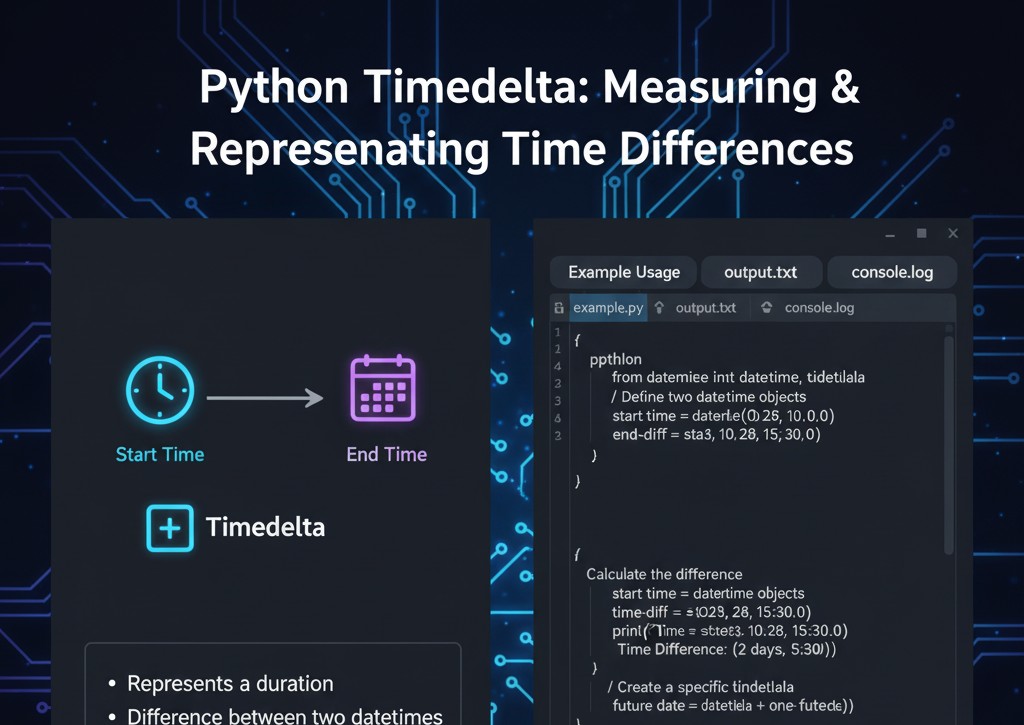
The timedelta class represents a duration, the difference between two dates or times. This conceptual distinction from date and datetime objects enables its use as an operand in date arithmetic operations.
Conceptual Foundation
A timedelta object answers the question “how much time” rather than “what time.” For example:
- A date object represents “January 16, 2025”
- A datetime object represents “January 16, 2025 at 2:30 PM”
- A timedelta object represents “7 days” or “3 hours and 45 minutes”
This abstraction allows timedeltas to be added to or subtracted from specific dates to calculate new dates, or computed as the difference between two dates.
Timedelta Constructor Parameters
The timedelta constructor accepts several keyword arguments representing different time units:
from datetime import timedelta
# All available parameters
time_span = timedelta(
days=0,
seconds=0,
microseconds=0,
milliseconds=0,
minutes=0,
hours=0,
weeks=0
)
All parameters default to zero and accept positive or negative values. Python internally normalizes all values to days, seconds, and microseconds for storage and calculation efficiency.
Creating Basic Timedelta Objects
Let’s explore various ways to construct timedelta objects representing different time spans.
Single Unit Timedeltas
from datetime import timedelta
# One day span
one_day = timedelta(days=1)
print(f”One day: {one_day}”)
# One week span
one_week = timedelta(weeks=1)
print(f”One week: {one_week}”)
# Three hours span
three_hours = timedelta(hours=3)
print(f”Three hours: {three_hours}”)
# Thirty minutes span
thirty_minutes = timedelta(minutes=30)
print(f”Thirty minutes: {thirty_minutes}”)
Output demonstrates how Python represents timedeltas in a standardized format showing days, seconds, and microseconds when applicable.
Multi-Unit Timedeltas
Combining multiple time units creates more complex spans:
from datetime import timedelta
# Complex time span: 365 days, 5 hours, and 1 minute
complex_span = timedelta(days=365, hours=5, minutes=1)
print(f”Complex span: {complex_span}”)
# Business duration: 2 weeks and 3 days
business_duration = timedelta(weeks=2, days=3)
print(f”Business duration: {business_duration}”)
# Precise duration: 1 day, 6 hours, 30 minutes, 15 seconds
precise_duration = timedelta(days=1, hours=6, minutes=30, seconds=15)
print(f”Precise duration: {precise_duration}”)
Python normalizes these values internally. For example, a timedelta with 25 hours becomes “1 day, 1:00:00” in the string representation.
Negative Timedeltas
Negative values create timedeltas representing past time spans:
from datetime import timedelta
# Past time spans
one_day_ago = timedelta(days=-1)
print(f”One day ago: {one_day_ago}”)
two_weeks_ago = timedelta(weeks=-2)
print(f”Two weeks ago: {two_weeks_ago}”)
# Mixed positive and negative (unusual but valid)
mixed_delta = timedelta(days=5, hours=-3)
print(f”Mixed delta: {mixed_delta}”)
Negative timedeltas prove particularly useful when calculating dates in the past or representing decrements.

Date Arithmetic with Timedelta
The primary use case for timedelta objects involves adding them to or subtracting them from date and datetime objects to calculate new dates.
Calculating Future Dates
Adding timedeltas to current dates calculates future dates:
from datetime import datetime, timedelta
# Get current date and time
now = datetime.now()
print(f”Current date and time: {now}”)
# Calculate date one year from now
one_year_later = now + timedelta(days=365)
print(f”One year from now: {one_year_later}”)
# Calculate date one month from now (approximate)
one_month_later = now + timedelta(days=30)
print(f”Approximately one month from now: {one_month_later}”)
# Calculate date 2 weeks and 3 days from now
specific_future = now + timedelta(weeks=2, days=3)
print(f”2 weeks and 3 days from now: {specific_future}”)
This arithmetic works with both datetime and date objects, with datetime objects preserving time components through calculations.
Calculating Past Dates
Subtracting timedeltas calculates past dates:
from datetime import datetime, timedelta
current_time = datetime.now()
# One week ago
one_week_ago = current_time – timedelta(weeks=1)
print(f”One week ago: {one_week_ago}”)
# 30 days ago
thirty_days_ago = current_time – timedelta(days=30)
print(f”30 days ago: {thirty_days_ago}”)
# 6 months ago (approximate)
six_months_ago = current_time – timedelta(days=180)
print(f”Approximately 6 months ago: {six_months_ago}”)
Past date calculations prove essential for data retrieval, historical analysis, and reporting applications.
Combining Arithmetic with Formatting
Integrate timedelta arithmetic with strftime() for formatted output:
from datetime import datetime, timedelta
# Calculate a past date
past_date = datetime.now() – timedelta(weeks=1)
# Format the calculated date
formatted_past = past_date.strftime(“%A, %B %d, %Y”)
print(f”One week ago it was: {formatted_past}”)
# Calculate a future date and format it
future_date = datetime.now() + timedelta(days=100)
formatted_future = future_date.strftime(“%B %d, %Y at %I:%M %p”)
print(f”100 days from now: {formatted_future}”)
This combination creates human-readable representations of calculated dates for user interfaces and reports.
Calculating Time Differences
Subtracting one date from another produces a timedelta representing the time difference between them.
Basic Time Difference Calculation
from datetime import date, timedelta
# Define two dates
start_date = date(2025, 1, 1)
end_date = date(2025, 12, 31)
# Calculate difference
time_difference = end_date – start_date
print(f”Days between dates: {time_difference.days}”)
print(f”Full timedelta: {time_difference}”)
The resulting timedelta object contains the time span between the two dates, accessible through its properties.
Accessing Timedelta Properties
Timedelta objects expose several properties for accessing component values:
from datetime import datetime, timedelta
# Create a timedelta
delta = timedelta(days=50, hours=5, minutes=30, seconds=15)
# Access properties
print(f”Total days: {delta.days}”)
print(f”Total seconds (excluding days): {delta.seconds}”)
print(f”Total microseconds: {delta.microseconds}”)
# Get total duration in different units
total_seconds = delta.total_seconds()
total_minutes = total_seconds / 60
total_hours = total_minutes / 60
print(f”Total seconds: {total_seconds}”)
print(f”Total minutes: {total_minutes}”)
print(f”Total hours: {total_hours}”)
The total_seconds() method proves particularly useful for converting entire durations to seconds for numerical calculations.
Comparing Dates with Timedeltas
Timedelta calculations enable sophisticated date comparisons:
from datetime import date, timedelta
current_date = date.today()
threshold_date = date(2025, 6, 1)
difference = threshold_date – current_date
if difference.days > 0:
print(f”Threshold is {difference.days} days in the future”)
elif difference.days < 0:
print(f”Threshold was {abs(difference.days)} days ago”)
else:
print(“Threshold is today”)
This pattern appears frequently in scheduling applications and deadline tracking systems.
Real-World Applications and Use Cases
Understanding practical applications contextualizes timedelta operations in professional development scenarios.
Use Case 1: Event Countdown System
Build a system that calculates days until a specific event:
from datetime import date, timedelta
def calculate_days_until_event(event_name, event_date):
“””
Calculate days remaining until a specific event.
Args:
event_name: Name of the event
event_date: Date object representing event date
Returns:
Dictionary with event details and countdown information
“””
today = date.today()
# Calculate difference
time_difference = event_date – today
# Determine if event is in future or past
if time_difference.days > 0:
status = “upcoming”
days_count = time_difference.days
message = f”{days_count} days until {event_name}”
elif time_difference.days < 0:
status = “past”
days_count = abs(time_difference.days)
message = f”{event_name} was {days_count} days ago”
else:
status = “today”
days_count = 0
message = f”{event_name} is today!”
return {
‘event_name’: event_name,
‘event_date’: event_date,
‘status’: status,
‘days_count’: days_count,
‘message’: message
}
# Usage examples
project_deadline = date(2025, 3, 15)
result = calculate_days_until_event(“Project Deadline”, project_deadline)
print(result[‘message’])
print(f”Status: {result[‘status’]}”)
print(f”Days: {result[‘days_count’]}”)
This countdown system adapts to past, present, and future events, providing appropriate messaging for each scenario.
Use Case 2: Recurring Event Calculator
Calculate recurring events using timedelta arithmetic:
from datetime import date, timedelta
def generate_recurring_dates(start_date, interval_days, occurrences):
“””
Generate a list of recurring dates based on an interval.
Args:
start_date: Starting date for recurrence
interval_days: Number of days between occurrences
occurrences: Number of dates to generate
Returns:
List of date objects
“””
dates = []
current_date = start_date
for i in range(occurrences):
dates.append(current_date)
current_date = current_date + timedelta(days=interval_days)
return dates
# Generate weekly meeting dates
first_meeting = date(2025, 1, 20)
meeting_dates = generate_recurring_dates(first_meeting, 7, 10)
print(“Weekly meeting schedule:”)
for idx, meeting_date in enumerate(meeting_dates, 1):
formatted_date = meeting_date.strftime(“%A, %B %d, %Y”)
print(f”Meeting {idx}: {formatted_date}”)
Recurring event calculations prove essential for scheduling applications, subscription management, and calendar systems.
Use Case 3: Business Day Calculator
Calculate business days excluding weekends:
from datetime import date, timedelta
def add_business_days(start_date, business_days):
“””
Add business days to a date, excluding weekends.
Args:
start_date: Starting date
business_days: Number of business days to add
Returns:
Date object representing the end date
“””
current_date = start_date
days_added = 0
while days_added < business_days:
current_date += timedelta(days=1)
# Check if current day is a weekday (0-4 are Monday-Friday)
if current_date.weekday() < 5:
days_added += 1
return current_date
def calculate_business_days_between(start_date, end_date):
“””
Calculate number of business days between two dates.
Args:
start_date: Starting date
end_date: Ending date
Returns:
Number of business days
“””
business_days = 0
current_date = start_date
while current_date < end_date:
if current_date.weekday() < 5:
business_days += 1
current_date += timedelta(days=1)
return business_days
# Usage examples
project_start = date(2025, 1, 20)
project_end = add_business_days(project_start, 10)
print(f”Start date: {project_start.strftime(‘%A, %B %d, %Y’)}”)
print(f”End date (10 business days later): {project_end.strftime(‘%A, %B %d, %Y’)}”)
# Calculate business days between two dates
date_a = date(2025, 1, 20)
date_b = date(2025, 2, 5)
business_days = calculate_business_days_between(date_a, date_b)
print(f”Business days between dates: {business_days}”)
Business day calculations handle real-world scheduling constraints critical for project management and service level agreements.
Use Case 4: Age Calculator
Calculate precise age in years, months, and days:
from datetime import date, timedelta
def calculate_age(birth_date, reference_date=None):
“””
Calculate age from birth date to reference date.
Args:
birth_date: Date of birth
reference_date: Date to calculate age at (default: today)
Returns:
Dictionary with age components
“””
if reference_date is None:
reference_date = date.today()
# Calculate total days
age_delta = reference_date – birth_date
total_days = age_delta.days
# Calculate years
years = total_days // 365
# Calculate remaining days after years
remaining_days = total_days % 365
# Approximate months and days
months = remaining_days // 30
days = remaining_days % 30
return {
‘years’: years,
‘months’: months,
‘days’: days,
‘total_days’: total_days
}
# Usage example
birth = date(1990, 5, 15)
age = calculate_age(birth)
print(f”Age: {age[‘years’]} years, {age[‘months’]} months, {age[‘days’]} days”)
print(f”Total days alive: {age[‘total_days’]}”)
Age calculations appear in various applications from healthcare systems to eligibility verification and demographic analysis.
Use Case 5: Subscription Management
Track subscription periods and renewal dates:
from datetime import datetime, timedelta
class Subscription:
def __init__(self, start_date, duration_days):
self.start_date = start_date
self.duration_days = duration_days
self.end_date = start_date + timedelta(days=duration_days)
def is_active(self, check_date=None):
“””Check if subscription is active on given date.”””
if check_date is None:
check_date = datetime.now()
return self.start_date <= check_date <= self.end_date
def days_remaining(self, reference_date=None):
“””Calculate days remaining in subscription.”””
if reference_date is None:
reference_date = datetime.now()
if reference_date > self.end_date:
return 0
remaining = self.end_date – reference_date
return remaining.days
def days_elapsed(self, reference_date=None):
“””Calculate days elapsed in subscription.”””
if reference_date is None:
reference_date = datetime.now()
if reference_date < self.start_date:
return 0
elapsed = reference_date – self.start_date
return elapsed.days
def renewal_date(self):
“””Get subscription renewal date.”””
return self.end_date + timedelta(days=1)
def get_status_report(self):
“””Generate comprehensive subscription status report.”””
now = datetime.now()
return {
‘start_date’: self.start_date.strftime(“%Y-%m-%d”),
‘end_date’: self.end_date.strftime(“%Y-%m-%d”),
‘is_active’: self.is_active(),
‘days_remaining’: self.days_remaining(),
‘days_elapsed’: self.days_elapsed(),
‘renewal_date’: self.renewal_date().strftime(“%Y-%m-%d”)
}
# Usage example
subscription_start = datetime(2025, 1, 1)
annual_subscription = Subscription(subscription_start, 365)
status = annual_subscription.get_status_report()
print(“Subscription Status Report:”)
for key, value in status.items():
print(f” {key}: {value}”)
Subscription management systems rely heavily on timedelta operations for tracking active periods and calculating renewal dates.
Advanced Timedelta Operations
Beyond basic arithmetic, timedelta objects support additional operations enabling sophisticated temporal calculations.
Timedelta Multiplication and Division
Timedeltas support multiplication and division by integers and floats:
from datetime import timedelta
# Base duration
one_week = timedelta(weeks=1)
# Multiply timedelta
three_weeks = one_week * 3
print(f”Three weeks: {three_weeks}”)
# Divide timedelta
half_week = one_week / 2
print(f”Half week: {half_week}”)
# Complex calculation
one_day = timedelta(days=1)
working_hours = one_day * 0.333 # Approximately 8 hours
print(f”Working hours approximation: {working_hours}”)
These operations enable proportional time calculations and duration scaling.
Timedelta Comparison Operations
Timedeltas support comparison operators:
from datetime import timedelta
one_week = timedelta(weeks=1)
ten_days = timedelta(days=10)
seven_days = timedelta(days=7)
# Comparison operations
print(f”One week == seven days: {one_week == seven_days}”)
print(f”Ten days > one week: {ten_days > one_week}”)
print(f”One week < ten days: {one_week < ten_days}”)
# Practical application
threshold_duration = timedelta(days=30)
actual_duration = timedelta(days=45)
if actual_duration > threshold_duration:
excess = actual_duration – threshold_duration
print(f”Duration exceeds threshold by {excess.days} days”)
Comparison operations enable validation logic and conditional processing based on duration thresholds.
Absolute Value Operations
Calculate absolute values of timedeltas:
from datetime import timedelta
past_duration = timedelta(days=-10)
future_duration = timedelta(days=10)
# Absolute value
abs_past = abs(past_duration)
abs_future = abs(future_duration)
print(f”Absolute value of -10 days: {abs_past}”)
print(f”Absolute value of +10 days: {abs_future}”)
# Practical application: distance between dates
date_a = timedelta(days=5)
date_b = timedelta(days=-3)
distance = abs(date_a – date_b)
print(f”Distance between dates: {distance}”)
Absolute value operations prove useful when only magnitude matters, regardless of direction.
Best Practices and Design Patterns
Professional timedelta usage requires understanding established patterns and avoiding common pitfalls.
Pattern 1: Defensive Date Arithmetic
Implement validation when performing date arithmetic:
from datetime import date, timedelta
def safe_add_days(start_date, days_to_add):
“””
Safely add days to a date with validation.
Args:
start_date: Starting date
days_to_add: Number of days to add (can be negative)
Returns:
Tuple of (success, result_date, error_message)
“””
try:
# Validate inputs
if not isinstance(start_date, date):
return False, None, “Invalid start_date: must be a date object”
if not isinstance(days_to_add, int):
return False, None, “Invalid days_to_add: must be an integer”
# Perform calculation
result_date = start_date + timedelta(days=days_to_add)
# Validate result is within reasonable range
min_date = date(1900, 1, 1)
max_date = date(2100, 12, 31)
if result_date < min_date or result_date > max_date:
return False, None, “Result date outside acceptable range”
return True, result_date, None
except OverflowError:
return False, None, “Date calculation overflow”
except Exception as error:
return False, None, f”Unexpected error: {str(error)}”
# Usage
success, result, error = safe_add_days(date.today(), 100)
if success:
print(f”Result date: {result}”)
else:
print(f”Error: {error}”)
Defensive programming prevents unexpected errors in production systems handling user input.
Pattern 2: Centralized Duration Constants
Define common durations as constants for consistency:
from datetime import timedelta
class DurationConstants:
“””Centralized duration definitions for application consistency.”””
ONE_HOUR = timedelta(hours=1)
ONE_DAY = timedelta(days=1)
ONE_WEEK = timedelta(weeks=1)
ONE_MONTH_APPROX = timedelta(days=30)
ONE_QUARTER_APPROX = timedelta(days=90)
ONE_YEAR_APPROX = timedelta(days=365)
# Business-specific durations
TRIAL_PERIOD = timedelta(days=14)
GRACE_PERIOD = timedelta(days=7)
WARRANTY_PERIOD = timedelta(days=365)
REMINDER_ADVANCE = timedelta(days=3)
# Usage
from datetime import date
purchase_date = date.today()
warranty_expiry = purchase_date + DurationConstants.WARRANTY_PERIOD
reminder_date = warranty_expiry – DurationConstants.REMINDER_ADVANCE
print(f”Purchase date: {purchase_date}”)
print(f”Warranty expires: {warranty_expiry}”)
print(f”Send reminder: {reminder_date}”)
Centralized constants improve maintainability and ensure consistent duration handling across applications.
Pattern 3: Timezone-Aware Calculations
Handle timezone considerations in timedelta operations:
from datetime import datetime, timedelta
from zoneinfo import ZoneInfo
def calculate_meeting_time_difference(meeting_time_utc, user_timezone):
“””
Calculate local meeting time and time until meeting.
Args:
meeting_time_utc: Meeting time in UTC
user_timezone: User’s timezone string
Returns:
Dictionary with meeting information
“””
# Convert to user’s timezone
user_tz = ZoneInfo(user_timezone)
meeting_local = meeting_time_utc.astimezone(user_tz)
# Calculate time until meeting
now_utc = datetime.now(ZoneInfo(‘UTC’))
now_local = now_utc.astimezone(user_tz)
time_until = meeting_local – now_local
return {
‘meeting_utc’: meeting_time_utc.strftime(“%Y-%m-%d %H:%M:%S %Z”),
‘meeting_local’: meeting_local.strftime(“%Y-%m-%d %H:%M:%S %Z”),
‘time_until_hours’: time_until.total_seconds() / 3600,
‘time_until_formatted’: str(time_until)
}
# Example (requires Python 3.9+)
# meeting_utc = datetime(2025, 1, 20, 14, 0, 0, tzinfo=ZoneInfo(‘UTC’))
# result = calculate_meeting_time_difference(meeting_utc, ‘America/New_York’)
Timezone awareness prevents calculation errors in distributed systems serving global users.
Common Pitfalls and Solutions
Understanding common mistakes helps avoid bugs and unexpected behavior.
Pitfall 1: Month and Year Approximations
from datetime import date, timedelta
# PROBLEMATIC: Approximate month calculations
start = date(2025, 1, 31)
one_month_later_wrong = start + timedelta(days=30) # Results in March 2
print(f”Approximate month later: {one_month_later_wrong}”)
# BETTER: Use dateutil for accurate month arithmetic
# Note: This requires the python-dateutil package
# from dateutil.relativedelta import relativedelta
# one_month_later_correct = start + relativedelta(months=1)
# ALTERNATIVE: Manual month calculation
def add_months(source_date, months_to_add):
“””Add months accounting for varying month lengths.”””
month = source_date.month – 1 + months_to_add
year = source_date.year + month // 12
month = month % 12 + 1
day = min(source_date.day, [31,28,31,30,31,30,31,31,30,31,30,31][month-1])
return date(year, month, day)
correct_result = add_months(start, 1)
print(f”Correct month addition: {correct_result}”)
Timedelta operations work with fixed durations, making month and year calculations approximate due to varying lengths.
Pitfall 2: Mixing Date and Datetime Objects
from datetime import date, datetime, timedelta
# PROBLEMATIC: Inconsistent object types
today_date = date.today()
now_datetime = datetime.now()
# This works but loses time information
date_calc = today_date + timedelta(days=1)
print(f”Date calculation: {date_calc}, Type: {type(date_calc)}”)
# This preserves time information
datetime_calc = now_datetime + timedelta(days=1)
print(f”Datetime calculation: {datetime_calc}, Type: {type(datetime_calc)}”)
# BETTER: Maintain consistent types
# Use datetime throughout when time precision matters
# Use date throughout when only dates matter
Maintain consistent object types throughout calculations to preserve intended precision and avoid type-related errors.
Pitfall 3: Ignoring Total Seconds Method
from datetime import timedelta
duration = timedelta(days=2, hours=5, minutes=30)
# PROBLEMATIC: Manual calculation prone to errors
manual_hours = duration.days * 24 + duration.seconds / 3600
print(f”Manual hours calculation: {manual_hours}”)
# BETTER: Use total_seconds() method
total_hours = duration.total_seconds() / 3600
print(f”Correct hours calculation: {total_hours}”)
# BEST: Use for all unit conversions
total_minutes = duration.total_seconds() / 60
total_days = duration.total_seconds() / 86400
print(f”Total minutes: {total_minutes}”)
print(f”Total days: {total_days}”)
The total_seconds() method provides accurate conversion to any time unit, avoiding manual calculation errors.
Conclusion
Python’s timedelta class provides powerful, intuitive date and time arithmetic capabilities essential for modern software development. From simple future date calculations to complex scheduling systems, subscription management, and business day logic, timedelta operations form the foundation of temporal data manipulation in Python applications.
Success with timedelta requires understanding its representation of time spans rather than specific moments, mastering arithmetic operations with date and datetime objects, leveraging properties and methods for duration analysis, and recognizing the limitations regarding month and year calculations. By implementing defensive programming patterns, maintaining consistent object types, and using centralized duration constants, developers create robust, maintainable systems handling temporal logic reliably.
Whether building scheduling applications, analyzing temporal patterns in data, implementing business rules involving dates, or creating user interfaces displaying time-based information, the skills covered in this guide provide the foundation for professional timedelta usage. Practice these patterns, understand the edge cases, and always validate date arithmetic operations to leverage Python’s datetime capabilities effectively in production systems.
Keywords
python timedelta, datetime arithmetic python, date calculations python, timedelta examples, python date difference, future date calculation, past date python, business days python, subscription management python, event countdown python