
Introduction
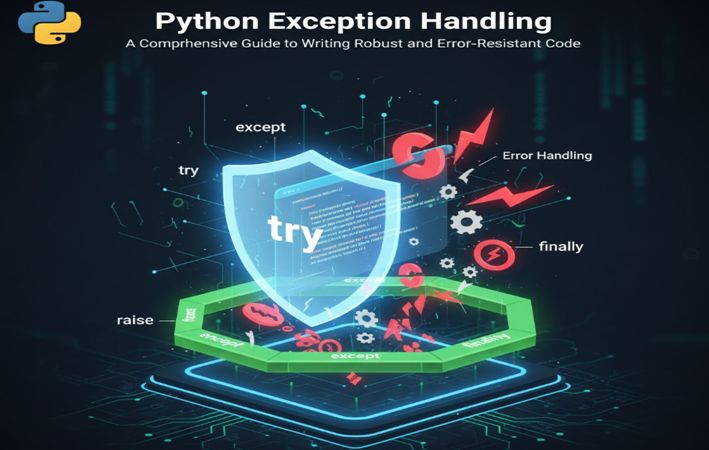
Exception handling is a fundamental programming concept that separates amateur code from production-ready applications. Every program encounters errors during execution, whether from invalid user input, network failures, file system issues, or unexpected runtime conditions. Python’s exception handling mechanism provides developers with powerful tools to anticipate, catch, and gracefully manage these errors without crashing the entire application.
This comprehensive guide explores Python exception handling from basic concepts to advanced patterns, demonstrating how to write resilient code that maintains functionality even when problems arise. Understanding exceptions is crucial for building reliable software systems that provide meaningful feedback to users and maintain data integrity under adverse conditions.

Understanding Exceptions in Python
An exception is an event that disrupts the normal flow of program execution. When Python encounters an error it cannot handle automatically, it raises an exception object containing information about the error type, location, and context. Without proper exception handling, these errors terminate program execution and display error messages that confuse end users.
Common Exception Types
Python includes numerous built-in exception classes, each representing specific error conditions:
ZeroDivisionError: Occurs when attempting to divide a number by zero ValueError: Raised when a function receives an argument of the correct type but inappropriate value TypeError: Triggered when an operation is performed on an incompatible data type FileNotFoundError: Occurs when attempting to access a nonexistent file KeyError: Raised when accessing a dictionary key that doesn’t exist IndexError: Occurs when accessing a list index outside its range AttributeError: Raised when attempting to access a nonexistent object attribute ImportError: Occurs when an import statement fails to find a module NameError: Raised when referencing an undefined variable
Understanding these exception types helps developers write targeted exception handlers that respond appropriately to specific error conditions.
Basic Exception Handling Syntax
The foundation of Python exception handling consists of try-except blocks that separate error-prone code from error-handling logic.
Simple Try-Except Structure
The most basic exception handling pattern uses try and except keywords:
# Basic exception handling example
try:
    result = 10 / 0
    print(f"Result: {result}")
except:
    print("An error occurred during calculation")
This code attempts to divide ten by zero, which mathematically is undefined. Without the try-except block, Python would raise a ZeroDivisionError and terminate execution. The except block catches this error and executes alternative code instead.
However, using bare except statements is considered poor practice because it catches all exceptions indiscriminately, potentially hiding bugs and making debugging difficult.
Catching Specific Exceptions
Professional code specifies which exceptions to catch, allowing unexpected errors to propagate:
# Catching specific exception types
try:
    numerator = 100
    denominator = 0
    quotient = numerator / denominator
    print(f"The quotient is: {quotient}")
except ZeroDivisionError:
    print("Error: Cannot divide by zero")
    print("Please provide a non-zero denominator")
This approach catches only ZeroDivisionError, allowing other exceptions to raise normally. This specificity aids debugging by ensuring only anticipated errors are handled silently.
Accessing Exception Information
Exception objects contain valuable information about errors. Capturing this information helps diagnose problems:
# Accessing exception details
try:
    numbers = [1, 2, 3, 4, 5]
    print(numbers[10])  # Index out of range
except IndexError as error:
    print(f"Index error occurred: {error}")
    print(f"Exception type: {type(error).__name__}")
The as error syntax assigns the exception object to a variable, enabling access to error messages and other exception properties.

Multiple Exception Handlers
Real-world programs often need to handle different exceptions differently. Python allows multiple except blocks to catch various exception types:
# Multiple exception handlers
def process_user_input():
    try:
        user_input = input("Enter a number to divide 100: ")
        number = int(user_input)
        result = 100 / number
        print(f"100 divided by {number} equals {result}")
    except ZeroDivisionError as error:
        print("Error: Division by zero is mathematically undefined")
        print("Please enter a non-zero number")
    except ValueError as error:
        print(f"Error: Invalid input format - {error}")
        print("Please enter a valid integer")
    except Exception as error:
        print(f"Unexpected error occurred: {error}")

# Execute the function
process_user_input()
This code demonstrates handling multiple exception types separately. The ZeroDivisionError handler addresses division by zero, while the ValueError handler manages invalid numeric conversions. The generic Exception handler catches any unforeseen errors.
Exception Handler Order
Python evaluates except blocks sequentially, executing the first matching handler. Since all exceptions inherit from the base Exception class, placing a generic Exception handler first would catch all errors, preventing subsequent handlers from executing:
# Correct exception handler ordering
try:
    data = {"name": "Alice", "age": 30}
    print(data["email"])  # KeyError
except KeyError as error:
    print(f"Missing key: {error}")
except Exception as error:
    print(f"General error: {error}")

# Incorrect ordering (antipattern)
try:
    data = {"name": "Alice", "age": 30}
    print(data["email"])
except Exception as error:  # This catches everything
    print(f"General error: {error}")
except KeyError as error:  # This never executes
    print(f"Missing key: {error}")
Always place specific exception handlers before generic ones to ensure proper error handling.
The Else Clause
Python’s try-except structure supports an optional else clause that executes only when no exceptions occur:
# Using the else clause
def safe_division(dividend, divisor):
    try:
        result = dividend / divisor
    except ZeroDivisionError:
        print("Error: Cannot divide by zero")
        return None
    except TypeError:
        print("Error: Both arguments must be numbers")
        return None
    else:
        print("Division completed successfully")
        return result

# Test cases
print(safe_division(10, 2))   # Returns 5.0
print(safe_division(10, 0))   # Returns None
print(safe_division(10, "a")) # Returns None
The else clause improves code organization by separating successful execution logic from exception handling. Code in the else block runs only when the try block completes without raising exceptions.
The Finally Clause
The finally clause contains code that executes regardless of whether exceptions occur, making it ideal for cleanup operations:
# Using finally for resource cleanup
def read_file_content(filename):
    file_handle = None
    try:
        file_handle = open(filename, 'r')
        content = file_handle.read()
        print(f"File content length: {len(content)} characters")
        return content
    except FileNotFoundError:
        print(f"Error: File '{filename}' not found")
        return None
    except PermissionError:
        print(f"Error: Permission denied to read '{filename}'")
        return None
    finally:
        if file_handle:
            file_handle.close()
            print("File closed successfully")

# Usage example
content = read_file_content("example.txt")
The finally block ensures the file closes whether reading succeeds or fails. This pattern prevents resource leaks that occur when exceptions interrupt resource cleanup.
Complete Try-Except-Else-Finally Structure
Combining all components creates comprehensive exception handling:
# Complete exception handling structure
def process_numeric_data(input_string):
    result = None

    try:
        print("Attempting to process input...")
        number = float(input_string)
        result = 100 / number
    except ValueError as error:
        print(f"Conversion error: {error}")
    except ZeroDivisionError as error:
        print(f"Mathematical error: {error}")
    except Exception as error:
        print(f"Unexpected error: {error}")
    else:
        print("Processing completed successfully")
    finally:
        print("Cleanup operations completed")

    return result

# Test different scenarios
print("\nTest 1: Valid input")
print(f"Result: {process_numeric_data('25')}\n")

print("Test 2: Zero input")
print(f"Result: {process_numeric_data('0')}\n")

print("Test 3: Invalid input")
print(f"Result: {process_numeric_data('invalid')}\n")
This structure provides complete control over execution flow during normal operation, error conditions, and cleanup phases.

Raising Exceptions
Developers can explicitly raise exceptions using the raise keyword, enabling custom error handling logic:
# Raising exceptions manually
def validate_age(age):
    if not isinstance(age, int):
        raise TypeError("Age must be an integer")
    if age < 0:
        raise ValueError("Age cannot be negative")
    if age > 150:
        raise ValueError("Age exceeds reasonable human lifespan")
    return True

# Test validation function
try:
    validate_age(25)
    print("Age 25 is valid")

    validate_age(-5)
    print("This won't print")
except ValueError as error:
    print(f"Validation error: {error}")
except TypeError as error:
    print(f"Type error: {error}")
Raising exceptions explicitly enforces business rules and data validation requirements, preventing invalid data from propagating through the application.
Re-raising Exceptions
Sometimes catching an exception for logging or cleanup purposes while still allowing it to propagate is necessary:
# Re-raising exceptions
def monitored_division(dividend, divisor):
    try:
        result = dividend / divisor
        return result
    except ZeroDivisionError as error:
        print("Logging: Division by zero attempted")
        print("Sending alert to system administrator...")
        raise  # Re-raise the exception
    except Exception as error:
        print(f"Logging: Unexpected error - {error}")
        raise

# Usage
try:
    monitored_division(10, 0)
except ZeroDivisionError:
    print("Handled division by zero in calling code")
The bare raise statement re-raises the caught exception, preserving its original traceback information.
Custom Exception Classes
Creating custom exception classes provides semantic meaning to application-specific errors:
# Custom exception classes
class InsufficientFundsError(Exception):
    """Raised when account balance is insufficient for transaction"""
    def __init__(self, balance, amount):
        self.balance = balance
        self.amount = amount
        self.message = f"Insufficient funds: Balance ${balance:.2f}, Required ${amount:.2f}"
        super().__init__(self.message)

class InvalidAccountError(Exception):
    """Raised when account number is invalid"""
    pass

class TransactionLimitExceededError(Exception):
    """Raised when transaction exceeds daily limit"""
    pass

# Using custom exceptions
class BankAccount:
    def __init__(self, account_number, balance=0):
        self.account_number = account_number
        self.balance = balance
        self.daily_limit = 1000
        self.daily_withdrawn = 0

    def withdraw(self, amount):
        if amount <= 0:
            raise ValueError("Withdrawal amount must be positive")

        if self.daily_withdrawn + amount > self.daily_limit:
            raise TransactionLimitExceededError(
                f"Daily limit ${self.daily_limit} would be exceeded"
            )

        if amount > self.balance:
            raise InsufficientFundsError(self.balance, amount)

        self.balance -= amount
        self.daily_withdrawn += amount
        return self.balance

# Testing custom exceptions
account = BankAccount("ACC123456", 500)

try:
    print(f"Initial balance: ${account.balance}")
    account.withdraw(300)
    print(f"After withdrawal: ${account.balance}")
    account.withdraw(300)  # This will fail
except InsufficientFundsError as error:
    print(f"Transaction failed: {error.message}")
    print(f"Current balance: ${error.balance:.2f}")
except TransactionLimitExceededError as error:
    print(f"Transaction failed: {error}")
except ValueError as error:
    print(f"Invalid input: {error}")
Custom exceptions improve code readability and enable precise error handling for domain-specific situations.
Exception Handling Patterns and Best Practices
Pattern 1: EAFP (Easier to Ask Forgiveness than Permission)
Python philosophy favors attempting operations and handling exceptions over checking preconditions:
# EAFP approach (Pythonic)
def get_user_data(user_dict, key):
    try:
        return user_dict[key]
    except KeyError:
        return None

# LBYL approach (Less Pythonic)
def get_user_data_lbyl(user_dict, key):
    if key in user_dict:
        return user_dict[key]
    else:
        return None

# Usage
users = {"alice": 25, "bob": 30}
print(get_user_data(users, "alice"))   # 25
print(get_user_data(users, "charlie")) # None
EAFP is generally more efficient because it avoids redundant checks when operations typically succeed.
Pattern 2: Context Managers for Resource Management
Context managers ensure proper resource cleanup using exception-safe patterns:
# Using context managers with exception handling
def safe_file_operation(filename, operation):
    try:
        with open(filename, 'r') as file:
            if operation == 'count_lines':
                lines = file.readlines()
                return len(lines)
            elif operation == 'count_words':
                content = file.read()
                words = content.split()
                return len(words)
    except FileNotFoundError:
        print(f"Error: File '{filename}' does not exist")
        return 0
    except PermissionError:
        print(f"Error: Permission denied for '{filename}'")
        return 0
    except Exception as error:
        print(f"Unexpected error: {error}")
        return 0

# Test the function
result = safe_file_operation("sample.txt", "count_lines")
print(f"Line count: {result}")
The with statement automatically handles file closing, even when exceptions occur.
Pattern 3: Logging Exceptions
Proper logging captures exception information for debugging while maintaining user-friendly error messages:
import logging
import traceback

# Configure logging
logging.basicConfig(
    level=logging.ERROR,
    format='%(asctime)s - %(levelname)s - %(message)s'
)

def divide_numbers(dividend, divisor):
    try:
        result = dividend / divisor
        return result
    except ZeroDivisionError as error:
        logging.error(f"Division by zero: {error}")
        logging.error(f"Traceback: {traceback.format_exc()}")
        print("User message: Cannot divide by zero")
        return None
    except TypeError as error:
        logging.error(f"Type error in division: {error}")
        logging.error(f"Traceback: {traceback.format_exc()}")
        print("User message: Invalid input types")
        return None

# Test logging
result = divide_numbers(10, 0)
result = divide_numbers(10, "invalid")
Logging provides detailed technical information for developers while displaying simplified messages to users.
Pattern 4: Exception Chaining
Exception chaining preserves the original exception context when raising new exceptions:
# Exception chaining
class DataProcessingError(Exception):
    """Custom exception for data processing failures"""
    pass

def process_data(data):
    try:
        # Simulate processing that might fail
        result = int(data) * 2
        return result
    except ValueError as error:
        raise DataProcessingError(
            f"Failed to process data: {data}"
        ) from error

def main_processing():
    try:
        result = process_data("invalid_number")
        print(f"Result: {result}")
    except DataProcessingError as error:
        print(f"Processing error: {error}")
        print(f"Original cause: {error.__cause__}")

# Execute
main_processing()
The from keyword creates explicit exception chains, maintaining the full error context.
Advanced Exception Handling Techniques
Multiple Exception Types in One Handler
Python allows catching multiple exception types with a single except block:
# Catching multiple exceptions
def safe_calculation(operation, value1, value2):
    try:
        if operation == 'divide':
            return value1 / value2
        elif operation == 'index':
            return [value1, value2][5]  # IndexError
        elif operation == 'key':
            return {'a': value1}['b']   # KeyError
    except (ZeroDivisionError, IndexError, KeyError) as error:
        print(f"Operation failed: {type(error).__name__}")
        print(f"Error details: {error}")
        return None

# Test various error conditions
print(safe_calculation('divide', 10, 0))
print(safe_calculation('index', 1, 2))
print(safe_calculation('key', 100, 200))
This pattern is useful when multiple exceptions require identical handling logic.
Exception Groups (Python 3.11+)
Python 3.11 introduced exception groups for handling multiple simultaneous exceptions:
# Exception groups (Python 3.11+)
def process_multiple_tasks(tasks):
    errors = []

    for task in tasks:
        try:
            if task['type'] == 'division':
                result = task['a'] / task['b']
            elif task['type'] == 'conversion':
                result = int(task['value'])
        except Exception as error:
            errors.append(error)

    if errors:
        print(f"Encountered {len(errors)} errors during processing:")
        for idx, error in enumerate(errors, 1):
            print(f"  {idx}. {type(error).__name__}: {error}")

# Test with multiple tasks
tasks = [
    {'type': 'division', 'a': 10, 'b': 0},
    {'type': 'conversion', 'value': 'abc'},
    {'type': 'division', 'a': 20, 'b': 2}
]

process_multiple_tasks(tasks)
Real-World Exception Handling Examples
Example 1: Web API Request Handler
import time

def simulate_api_request(endpoint, retry_count=3):
    """Simulate API request with retry logic"""
    attempt = 0

    while attempt < retry_count:
        try:
            # Simulate various API failures
            if attempt == 0:
                raise ConnectionError("Network timeout")
            elif attempt == 1:
                raise ValueError("Invalid response format")
            else:
                # Success on third attempt
                return {"status": "success", "data": {"user": "Alice"}}

        except ConnectionError as error:
            attempt += 1
            print(f"Connection error on attempt {attempt}: {error}")
            if attempt < retry_count:
                wait_time = 2 ** attempt  # Exponential backoff
                print(f"Retrying in {wait_time} seconds...")
                time.sleep(wait_time)
            else:
                print("Max retries reached. Request failed.")
                return None

        except ValueError as error:
            print(f"Data error: {error}")
            return None

        except Exception as error:
            print(f"Unexpected error: {error}")
            return None

# Execute API request
result = simulate_api_request("/api/user")
if result:
    print(f"API Response: {result}")
Example 2: Database Transaction Handler
class DatabaseConnection:
    """Simulated database connection class"""

    def __init__(self, connection_string):
        self.connection_string = connection_string
        self.connected = False
        self.transaction_active = False

    def connect(self):
        print(f"Connecting to database: {self.connection_string}")
        self.connected = True

    def begin_transaction(self):
        if not self.connected:
            raise ConnectionError("Not connected to database")
        print("Transaction started")
        self.transaction_active = True

    def execute_query(self, query):
        if not self.transaction_active:
            raise RuntimeError("No active transaction")
        print(f"Executing: {query}")
        # Simulate query execution

    def commit(self):
        if self.transaction_active:
            print("Transaction committed")
            self.transaction_active = False

    def rollback(self):
        if self.transaction_active:
            print("Transaction rolled back")
            self.transaction_active = False

    def close(self):
        print("Database connection closed")
        self.connected = False

def safe_database_operation(queries):
    """Execute database queries with proper exception handling"""
    connection = None

    try:
        connection = DatabaseConnection("localhost:5432/mydb")
        connection.connect()
        connection.begin_transaction()

        for query in queries:
            connection.execute_query(query)

        connection.commit()
        print("All operations completed successfully")

    except ConnectionError as error:
        print(f"Connection failed: {error}")
        if connection:
            connection.rollback()

    except RuntimeError as error:
        print(f"Runtime error: {error}")
        if connection:
            connection.rollback()

    except Exception as error:
        print(f"Unexpected error: {error}")
        if connection:
            connection.rollback()

    finally:
        if connection and connection.connected:
            connection.close()

# Execute database operations
queries = [
    "INSERT INTO users VALUES (1, 'Alice')",
    "INSERT INTO users VALUES (2, 'Bob')",
    "UPDATE users SET active=true"
]

safe_database_operation(queries)
Example 3: File Processing Pipeline
import json

def process_json_file(filename):
    """Process JSON file with comprehensive error handling"""

    processed_data = []

    try:
        # Attempt to open and read file
        with open(filename, 'r', encoding='utf-8') as file:
            print(f"Reading file: {filename}")
            raw_content = file.read()

        # Attempt to parse JSON
        try:
            data = json.loads(raw_content)
            print(f"Successfully parsed JSON data")
        except json.JSONDecodeError as error:
            print(f"JSON parsing error: {error}")
            print(f"Error at line {error.lineno}, column {error.colno}")
            return None

        # Process each record
        for idx, record in enumerate(data):
            try:
                # Validate required fields
                if 'id' not in record:
                    raise KeyError(f"Missing 'id' field in record {idx}")
                if 'value' not in record:
                    raise KeyError(f"Missing 'value' field in record {idx}")

                # Process record
                processed_record = {
                    'id': record['id'],
                    'value': float(record['value']) * 2,
                    'status': 'processed'
                }
                processed_data.append(processed_record)

            except KeyError as error:
                print(f"Record validation error: {error}")
                continue
            except ValueError as error:
                print(f"Value conversion error in record {idx}: {error}")
                continue

        print(f"Successfully processed {len(processed_data)} records")
        return processed_data

    except FileNotFoundError:
        print(f"Error: File '{filename}' not found")
        return None

    except PermissionError:
        print(f"Error: Permission denied to read '{filename}'")
        return None

    except Exception as error:
        print(f"Unexpected error: {type(error).__name__}: {error}")
        return None

# Simulate file processing
sample_json = '''
[
    {"id": 1, "value": "10.5"},
    {"id": 2, "value": "20.3"},
    {"id": 3, "value": "invalid"},
    {"id": 4, "value": "15.7"}
]
'''

# Write sample data to file
with open('sample_data.json', 'w') as f:
    f.write(sample_json)

# Process the file
results = process_json_file('sample_data.json')
if results:
    for record in results:
        print(f"  {record}")
Exception Handling Anti-Patterns to Avoid
Anti-Pattern 1: Bare Except Clauses
# BAD: Catches all exceptions including system exits
try:
    risky_operation()
except:
    print("Something went wrong")

# GOOD: Catch specific exceptions
try:
    risky_operation()
except ValueError as error:
    print(f"Value error: {error}")
except TypeError as error:
    print(f"Type error: {error}")
Anti-Pattern 2: Silent Exception Suppression
# BAD: Suppresses errors without logging
try:
    important_operation()
except Exception:
    pass  # Silent failure

# GOOD: Log exceptions even if not handling them
import logging

try:
    important_operation()
except Exception as error:
    logging.error(f"Operation failed: {error}")
    raise  # Re-raise if appropriate
Anti-Pattern 3: Exception for Flow Control
# BAD: Using exceptions for normal flow control
def find_user(users, user_id):
    try:
        return users[user_id]
    except KeyError:
        return None

# GOOD: Use conditional logic
def find_user(users, user_id):
    return users.get(user_id, None)
Anti-Pattern 4: Catching and Rethrowing Without Adding Value
# BAD: Unnecessary exception handling
try:
    process_data()
except ValueError:
    raise  # Why catch if not handling?

# GOOD: Only catch when adding value
try:
    process_data()
except ValueError as error:
    logging.error(f"Data processing failed: {error}")
    raise DataProcessingError("Invalid data format") from error
Performance Considerations
Exception handling has performance implications. Understanding these helps optimize code:
import time

def performance_comparison():
    """Compare exception handling vs conditional checking performance"""

    # Test 1: Using exceptions (EAFP)
    test_dict = {'a': 1, 'b': 2, 'c': 3}
    start_time = time.time()

    for _ in range(100000):
        try:
            value = test_dict['d']
        except KeyError:
            value = None

    eafp_time = time.time() - start_time

    # Test 2: Using conditionals (LBYL)
    start_time = time.time()

    for _ in range(100000):
        if 'd' in test_dict:
            value = test_dict['d']
        else:
            value = None

    lbyl_time = time.time() - start_time

    print(f"EAFP approach: {eafp_time:.4f} seconds")
    print(f"LBYL approach: {lbyl_time:.4f} seconds")
    print(f"Difference: {abs(eafp_time - lbyl_time):.4f} seconds")

performance_comparison()
Exceptions are more expensive than conditionals, but when exceptions occur rarely, EAFP is often faster because it avoids redundant checks.
Testing Exception Handling
Proper testing ensures exception handlers work correctly:
import unittest

class Calculator:
    @staticmethod
    def divide(dividend, divisor):
        if divisor == 0:
            raise ZeroDivisionError("Cannot divide by zero")
        if not isinstance(dividend, (int, float)) or not isinstance(divisor, (int, float)):
            raise TypeError("Both arguments must be numbers")
        return dividend / divisor

class TestCalculator(unittest.TestCase):
    def test_normal_division(self):
        result = Calculator.divide(10, 2)
        self.assertEqual(result, 5.0)

    def test_zero_division_raises_exception(self):
        with self.assertRaises(ZeroDivisionError):
            Calculator.divide(10, 0)

    def test_invalid_type_raises_exception(self):
        with self.assertRaises(TypeError):
            Calculator.divide(10, "invalid")

    def test_exception_message(self):
        with self.assertRaises(ZeroDivisionError) as context:
            Calculator.divide(10, 0)
        self.assertEqual(str(context.exception), "Cannot divide by zero")

# Run tests
if __name__ == '__main__':
    unittest.main(argv=[''], exit=False, verbosity=2)
Conclusion
Exception handling is essential for building robust Python applications that gracefully manage errors and provide meaningful feedback. The try-except-else-finally structure offers comprehensive control over error conditions, enabling developers to separate error-handling logic from normal program flow.
Key principles for effective exception handling include catching specific exceptions rather than using bare except clauses, using finally blocks for resource cleanup, creating custom exceptions for domain-specific errors, and following the EAFP principle when appropriate. Proper logging and testing ensure exception handlers work correctly in production environments.
By mastering these concepts and patterns, developers create resilient applications that maintain functionality even when encountering unexpected conditions. Exception handling transforms brittle code that crashes on errors into professional software that degrades gracefully and provides users with clear, actionable error messages.
The investment in comprehensive exception handling pays dividends through reduced debugging time, improved user experience, and more maintainable codebases. As you develop Python applications, make exception handling an integral part of your design process rather than an afterthought.
Keywords
python exception handling, try except python, python error handling, python exceptions tutorial, ZeroDivisionError python, ValueError python, TypeError python, python finally clause, python else clause, exception handling best practices